


How to set up the table assignment strategy
In this article
- Before you begin
- Choose your table assignment strategy
- Step 1: Open the table management settings
- Step 2: Select your preferred table assignment strategy
- Optimized fit (default)
- Priority-first (legacy)
- When is the table assignment strategy used?
- FAQ
- Which strategy should I choose?
- Can I change the strategy later?
The table assignment strategy lets you control how Resos automatically assigns tables to bookings. Depending on your restaurant’s workflow, you can choose whether the system should prioritize the best-fitting table or always follow your configured area and table priorities.
Choosing the right strategy helps optimize table usage while giving you full control over how bookings are allocated.
Before you begin
The table assignment strategy is only used when automatic table management is enabled. If you are not using table management, this setting does not affect your bookings.
Read more about how to set up table management.
Choose your table assignment strategy
To configure your preferred strategy:
Step 1: Open the table management settings
Go to Menu → Settings & add-ons → Bookings → Managing bookings.
Make sure the automatically assign tables setting is enabled.
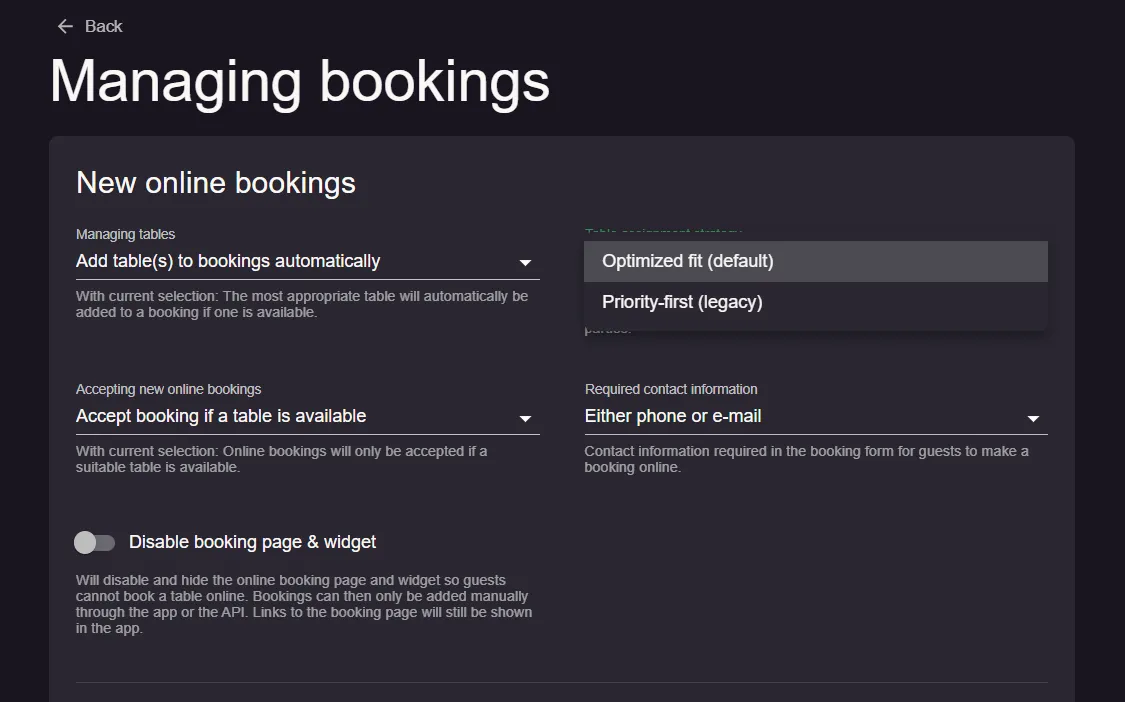
Step 2: Select your preferred table assignment strategy
Under table assignment strategy, choose one of the following options.
Optimized fit (default)
This is the recommended option for most restaurants.
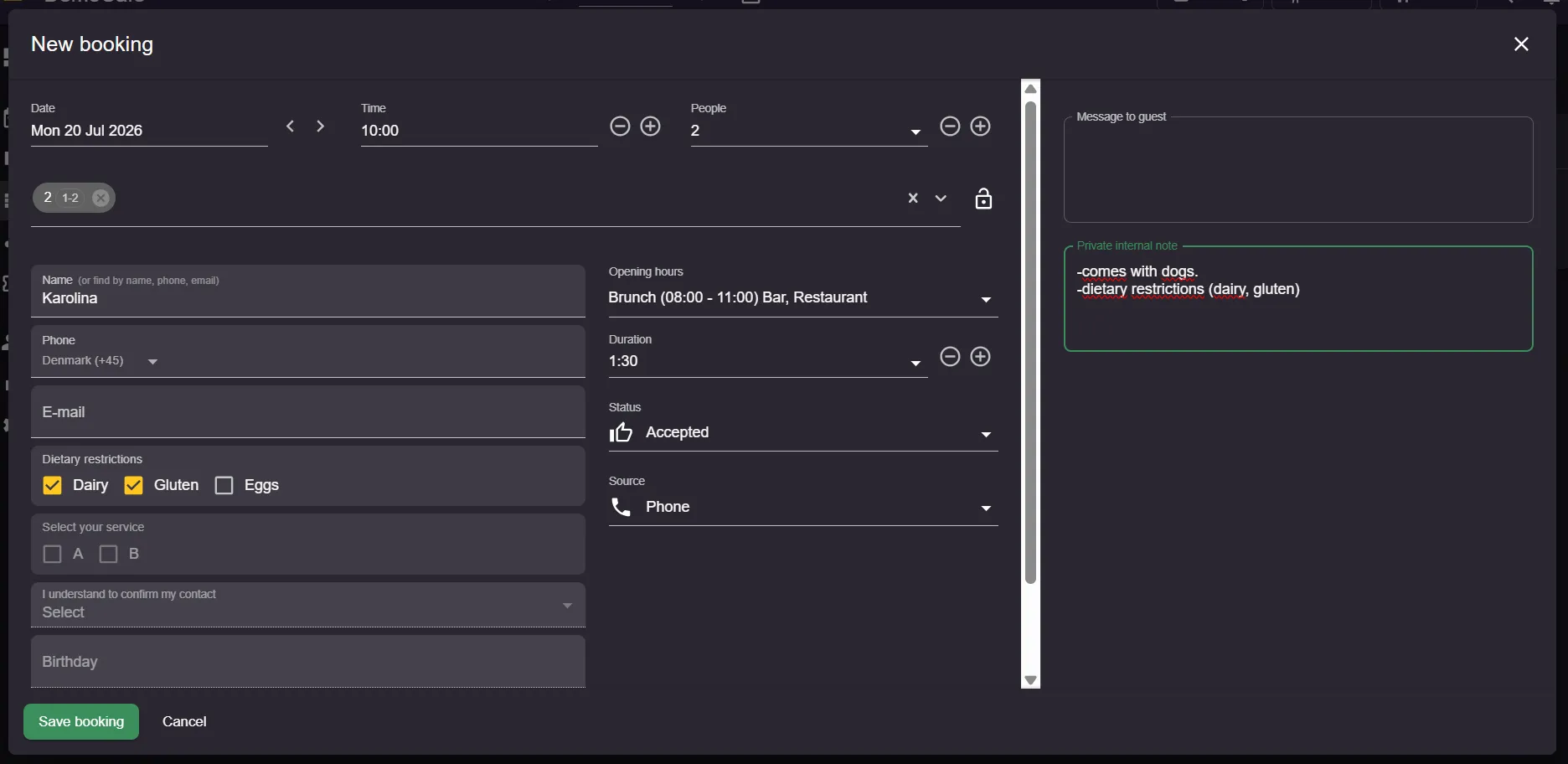
With optimized fit, Resos automatically selects the smallest suitable available table for the booking, even if another area has a higher priority.
This helps:
- maximize table utilization
- reduce wasted seats
- improve availability for larger parties
- increase the number of bookings your restaurant can accept
Example: if a party of 2 can fit at both Table 2 in the Restaurant area and Table 6 in the Bar area (higher priority), Resos will assign Table 2 if it is the best fit.
Priority-first (legacy)
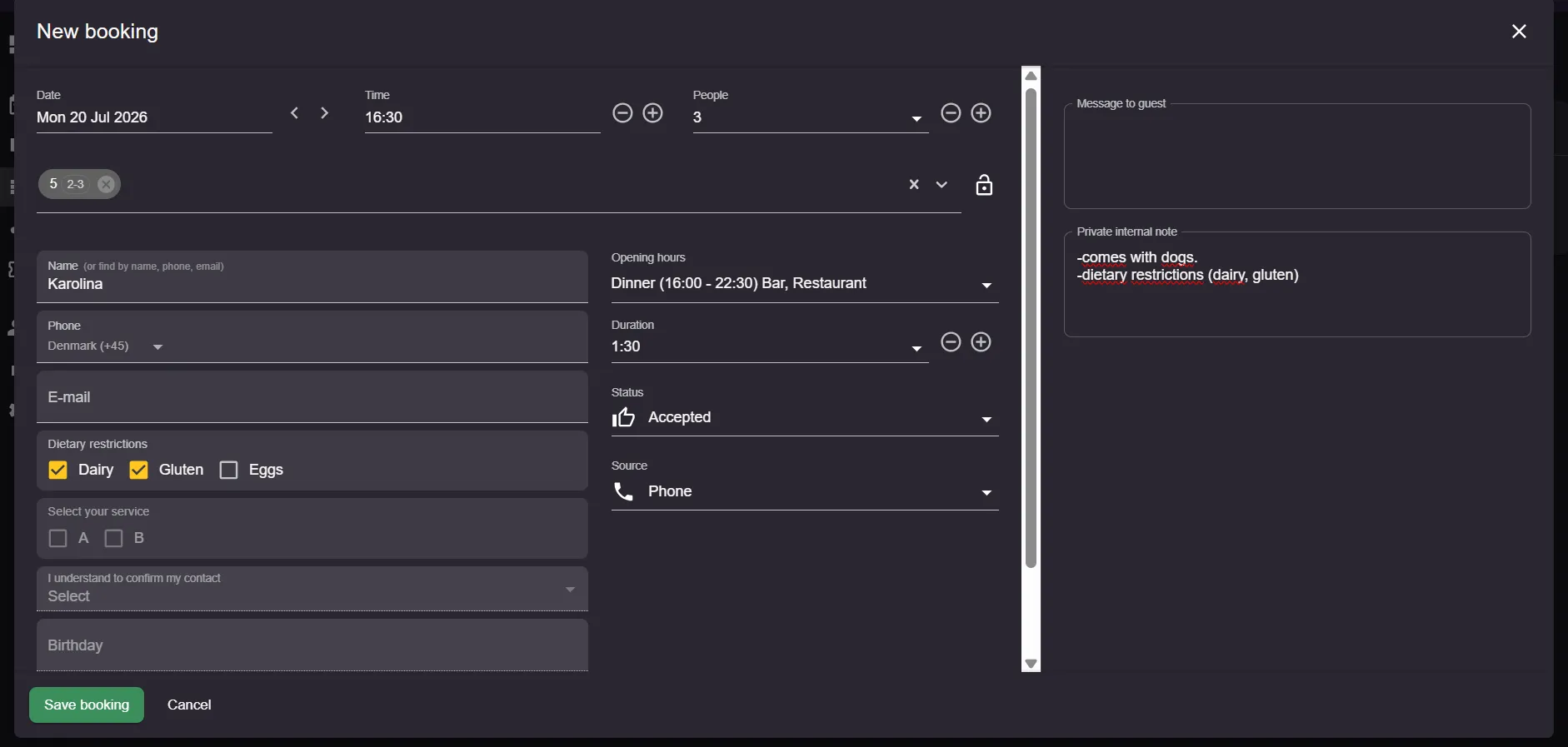
Choose priority-first if you always want Resos to respect your configured area and table priorities.
The system will:
- first select the highest-priority area
- then assign the highest-priority available table within that area
This option works similarly to the previous table assignment behavior.
Example: if the Restaurant area has a higher priority than the Bar area, the booking will be assigned to the Restaurant whenever a suitable table is available, even if a better-fitting table exists elsewhere.
When is the table assignment strategy used?
The selected strategy is applied whenever Resos automatically assigns tables, including:
- online bookings
- manually created bookings with automatic table assignment enabled
- automatic table reassignment when applicable
FAQ
Which strategy should I choose?
For most restaurants, optimized fit is recommended because it maximizes seating capacity and improves table utilization.
Choose priority-first if your restaurant prefers to seat guests in specific areas first or follows a fixed seating order.
Can I change the strategy later?
Yes. You can change the strategy at any time in Settings & add-ons → Bookings → Managing bookings. New bookings will follow the newly selected strategy.
We hope you found this guide useful. If you have any questions about the table assignment strategy or any general questions about Resos, do not hesitate to contact us at hi@resos.com. Our support representatives are excited to offer their help!