


How to prioritize tables and areas
In this article
With Resos you can prioritize tables and areas depending on which ones of these you want to have booked first. When you set a priority for each of the tables and areas in the system, you ensure that they are booked first. Check out how to add areas and tables for your restaurant here.
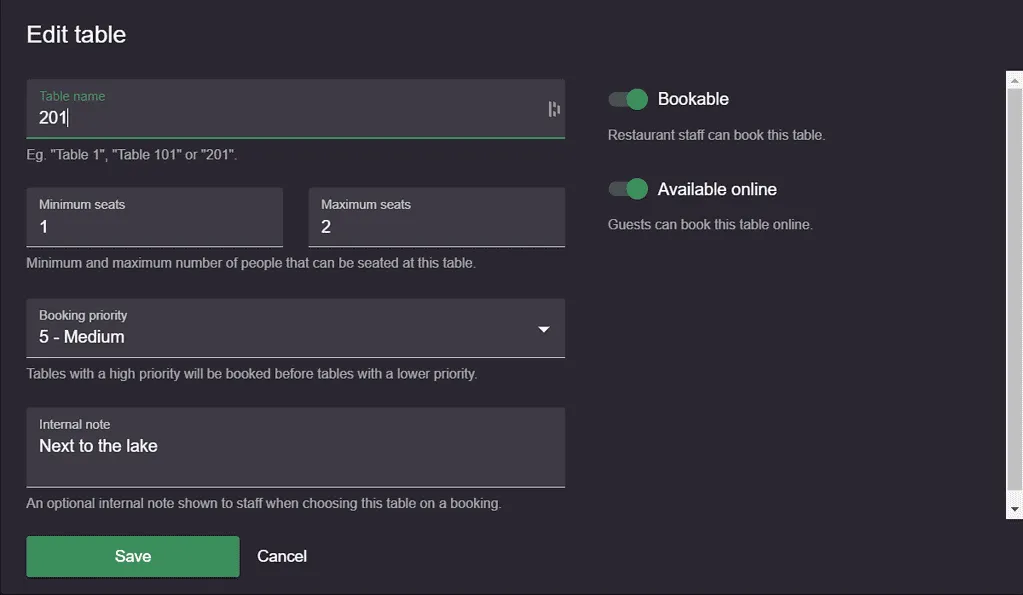
Before configuring table and area priorities, choose your preferred table assignment strategy by going to Menu → Settings & add-ons → Bookings:
- Optimized fit (default) – Picks the best-fitting table for the party size, even if it’s in a lower-priority area. This avoids seating smaller parties at larger tables.
- Priority-first (legacy) – Always picks the highest-priority area and table that fits the party, regardless of fit efficiency.
Once you’ve chosen your strategy, you can configure table and area priorities as described below.
Choosing the priority of the areas and tables can be done by going to Menu → Settings → General → Tables.
The system takes into consideration the booking priority that you have defined for the restaurant areas and tables and assigns tables to bookings accordingly. The priority you defined for the area overrides the priority you defined for the table. This means that a table in an area with priority 10, is prioritized before a table in an area that has priority 5. A table in the same area is then prioritized based on the priority of the individual table.
Resos always aims to fill up the restaurant as much as possible. Therefore, tables that best fit the number of guests, and single tables rather than table combinations, will be booked first. This applies both to online and manually added bookings.
Manual bookings and walk-ins
The same prioritization happens when you manually create a booking or add a walk-in. However, it is also possible for you to choose tables where the criteria do not necessarily fit. When you do that, the system will show a warning.
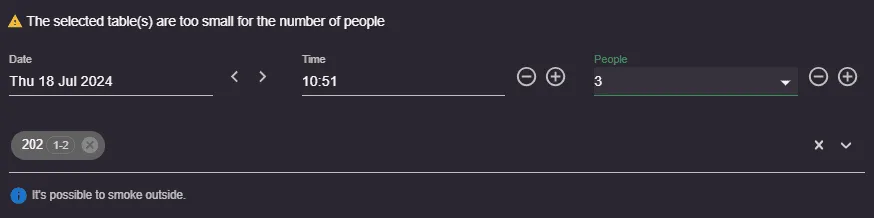
Resos is a flexible system and even though it “advises” you to choose a certain table for a booking, you can still choose the table that you see fit.
If you have questions about prioritizing tables for bookings, please contact us at hi@resos.com. We will be more than happy to help you with your questions and guide you through the setup.